Posts

[TUT] Installing planes/jets

Image
Some people still have trouble installing planes/jets into GTA IV, so i decided to create this small tutorial to help those people. Editing the handling.dat and vehicles.ide files Generally, when you download an plane/jet you will have an  readme.txt and inside this readme you will have instructions about the installation of the model: It indicates that you must edit handling.dat and vehicles.ide files, they commonly are located at: C:\Program Files\Rockstar Games\Grand Theft Auto IV\common\data First we need to make sure that the property Read only  is unmarked on the file properties (for handling.dat and vehicles.ide): Now open handling.dat with notepad and find the indicated line based on readme, commonly we will replace the airtug vehicle, so, search for airtug, you will find a line like this: Now we copy the line from the readme.txt and replace this line in the handling.dat: Pay attention to an detail, we have two lines to replace in handling.dat, the second line w...

[TUT] Animations

Image
Animations can give another look to an modification. In this tutorial i will show what i know about animations in GTA IV, you can download the code of this tutorial here  and download the list of GTA IV animation here . We have an big list of animations to use and thanks to the people involved in OpenIV  development we can see those animations without the game running, it's very useful, you can find this option in the OpenIV menu Tools > Animation Viewer : In the next screen we can choose what kind of animation we want preview : Clicking in Ped animations ( anim.img ) we will be redirected to an screen that organizes the animations by their categories : Clicking in one of the categories we will see an new screen with an Ped in center and the list of animations in the left side, if we click one of the animations the OpenIV will start playing the animation in loop mode: Now to make this happen in game we can do with basically two ways: Using scripthook classes Using native me...

[TUT] Flight ideas for peds

Image
I know basically three ideas that can be used in GTA IV to simulate an ped flying. One: Control ped velocity property Two: Control ped current vehicle speed Three: Control an object velocity , and attach the ped to this object To control the direction of the flight we can use game camera direction or create and vector3 to control the direction using keys like we can do with an plane or helicopter. Download the code of this tutorial  here First ped flight idea (Basic one) Method one is very simple but has some limitations, all we need to do is control the ped velocity , if we set the ped velocity is x=0, y=0 and z=1 we will make it float because he will be frozen in X and Y and will be with 1 in Z, and considering the common 3D vector components X and Y means horizontal measure and Z vertical: Result: The limitations of this idea, that i noticed, are: Speed, we can't reach more than 80 (mph i guess) Can't control Pitch and Roll, we can't change the pitch or roll of the ped...

[TIP] Adf.ly tip

Image
As you can see i use Adf.ly in great part of my links to earn some money :) Yes, i need money, and to don't sell my mods i use Ads in links, it, generally, costs only 5 seconds of your life and who really pays is the owners of the Ads. The intention of this post is help some people that may have difficulties with the Adf.ly system, if you don't have trouble with Adf.ly, just ignore this post :) So, how it works? Full page Ad When you click in an Adf.ly link   you will be redirected to an page with this layout ( mine is in portuguese ;) ): In the top we have the Adf.ly header with the time counter and in the center of the page the Ad , when the time counter reaches zero an button should appear ( Skip Ad ), you should click in this button to be redirected to the desired link : Simple right? 5 seconds of your life ;) Banner Ad The banner Ad will appear only on top of the page, some pages like FreakShare and MEGA will require that you close the Ad banner clicking in the red X ...

Iron Man IV - Installation guide (based on last version)

This post is outdated, check the last version of this mod  here

Iron Man IV - Armor pack to replace mission chars

Image
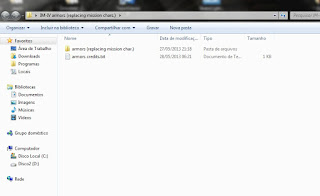
Check the last version of this mod  here *** This armor pack has been setup to replace mission chars, this will avoid the add peds method side effects/"crashes" . So if your game crash when you select an added armor or your EFLC not even opens, you should try this method :) Remember : This will replace some missions characters. Tip : If you installed first version and  replaced  some common street peds, you can use the pack of  this  post to restore those peds :) Easy install Download  and install using OpenIV Package installer Manual setup Download Extract all files to an folder: If you have the armor pack with added peds method you should copy the provided peds.ide and pedVariations.dat to your "C:\Program Files\Rockstar Games\Grand Theft Auto IV\common\data" (or the proper EFLC folders) and overwrite to restore the original ped config Now using OpenIV , open componentpeds.img (models\cdimages) and replace the mission chars with the provided files, also ...

Iron Man IV - The All-in-one Armor pack (installation and fix)

Image
*** This method works but have some side effects i don't recommend the use of this method: Don't work fine in EFLC Causes bugs with interactive points like internet cafe For some people it result in clean streets with no peds or moving cars And for some it just don't work because game crash when select armor Because of this i recommend the pack that uses replace method, it will replace mission characters. Check this tutorial and download the pack here . If you tried this pack and want to try the replace method you need to restore your peds.ide and pedVariations.dat, i provide the original for GTA IV and EFLC on the tutorial above. *** Tip : If you installed first version and  replaced  some common street peds, you can use the pack of  this  post to restore those peds :) They ( H1Vltg3 ,  Wapeddell  and  Quechus13 ) released an All-in-one armor pack with a lot of armors but they missed some armor configs, so i fixed them and uploaded here , now ...